
City Car Driver Street Racing 2
More games like this
See all
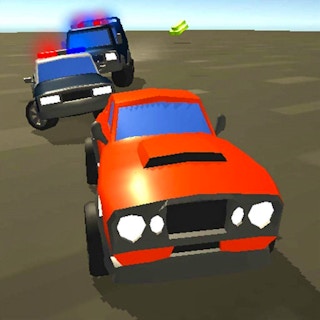





About this game
Experience City Car Driver Street Racing, an engaging WebGL game designed for quick fun and satisfying challenges. Explore detailed environments, learn the controls, complete objectives, improve your skills, and enjoy smooth gameplay directly in your browser. Web Dev https://www.y8.org.es/
This is a racing title built on WebGL and played inside a browser. You take a car through environments that are worked out in detail, and each run is meant to be short. The keyboard does the driving: WASD or the Arrow keys steer and move the car, while Space works as a handbrake. Objectives appear on the screen, so you always have something to aim at during a run. The menus let you choose a level or start over, which keeps sessions easy to repeat. Because the game is level-based, progress comes from finishing what each stage asks of you. It runs on desktop machines and needs no separate install beyond the browser.
How to play
- Open the game in a desktop browser and let it load.
- Use WASD or the Arrow keys to steer and drive the car.
- Press Space when you need the handbrake.
- Read the on-screen objectives and work through them.
- Use the game menus to select a level or restart when you want to try again.
Controls
- WASD or Arrow keys
- steer and drive the car
- Space
- handbrake
- Game menus
- select levels or restart
Tips & tricks
- Learn the steering and driving keys before pushing for objectives.
- Keep Space in mind for the handbrake when you need to slow the car.
- Check the on-screen objectives so you know what the current level wants.
- Use the menus to restart a level and try it again.
Newest · Racing
See all



What kind of game is City Car Driver Street Racing 2?
Read moreShow less
It is a racing game in the driving and simulation style, with level-based play, and it runs as a WebGL game in the browser.
Which keys do I use to drive?
Read moreShow less
WASD or the Arrow keys steer and drive the car, and Space is the handbrake.
How do I start a level or begin again?
Read moreShow less
The game menus are used to select levels or to restart.
Does it work on desktop?
Read moreShow less
Yes, the game is compatible with desktop, and it plays in the browser.