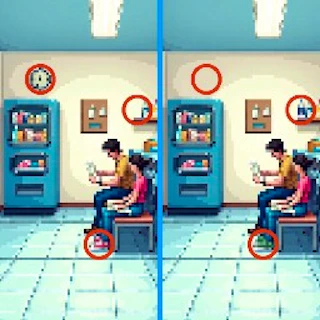
Pixel Differences
Released: June 2025More games like this
See all















About this game
Dive into a pixelated challenge where precision meets pressure! Spot subtle differences between two images within a ticking clock. With limited chances for error, each click needs careful thought. Earn stars with flawless focus, and call on hints when stumped in this reimagined classic. Can you spot them all?
Pixel Differences is a puzzle experience that challenges your ability to spot inconsistencies between two visual scenes. Your primary goal is to carefully examine both images to identify every variation present. As you scan the screen, you must select the specific areas where the pictures differ to progress through the game. Success requires precision and speed, as you are tasked with completing your search within a set time limit while managing a restricted number of mistakes. By successfully identifying these variations, you earn stars that reflect your performance. If you encounter a particularly difficult section, you have the option to request assistance to help you move forward. This game requires steady focus and a sharp eye to succeed.
How to play
- Observe the two images displayed on your screen.
- Click on the specific areas where you notice a variation between the two pictures.
- Request assistance if you are struggling to find a difference.
- Complete the objective before the time limit expires and avoid exceeding the allowed number of mistakes.
Controls
- Click
- Identify and select a difference between the two images
Tips & tricks
- Keep an eye on the time limit while scanning the images.
- Be careful with your selections to avoid reaching the mistake limit.
- Use the assistance feature if you find yourself stuck.
Newest · Puzzle
See all



How do I progress in Pixel Differences?
Read moreShow less
You earn stars by successfully identifying variations between the two images.
What happens if I make too many mistakes?
Read moreShow less
The game includes a restricted number of mistakes allowed, so you must be careful when selecting areas on the screen.